
2019
Enterprise Security Platform
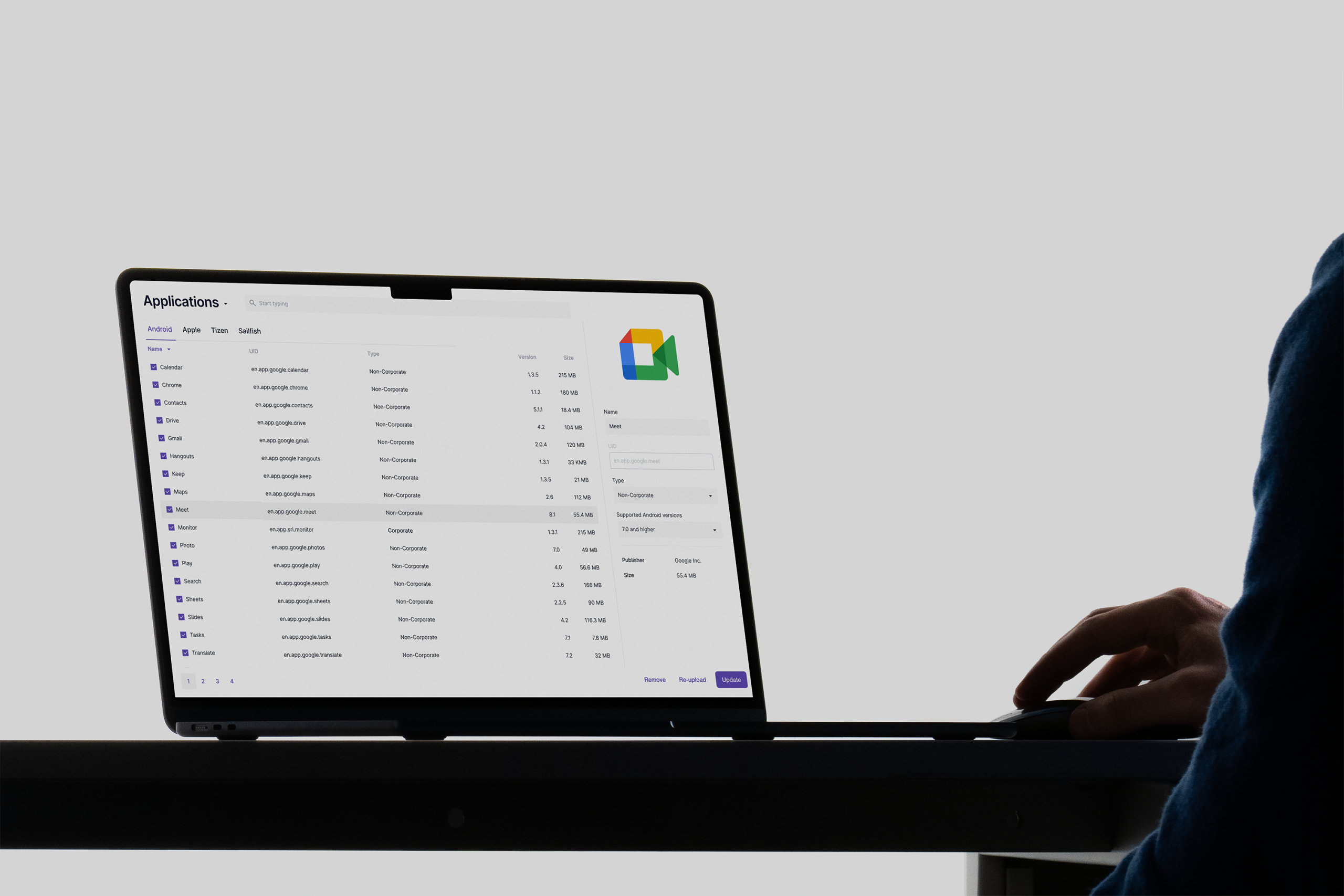
A.R.M MDM was used by large enterprise clients to manage, secure, and monitor corporate mobile devices. Over time, client-specific requests had turned the interface into a patchwork of inconsistent patterns, making critical admin work slower, harder to learn, and easier to get wrong.
I redesigned the platform around a clearer page structure, consistent interaction patterns, and admin workflows that reduced task time, support load, and critical errors.
Industry
Enterprise Security
Role
Principal Designer
Format
Admin Workflows, Enterprise Security UX, Complex Systems
Business problem
Client-specific additions had created inconsistent patterns across the platform, making admin tasks slower, harder to learn, and more error-prone.
Design response
I introduced a three-zone page structure, unified interaction patterns across key modules, and tested the flows with administrators to improve clarity and confidence.
Business result
The redesign made key admin tasks faster, reduced support questions, and helped teams use previously underused security features.
45%
Faster Key Tasks
30%
Fewer Support Queries
60%
Fewer Critical Admin Errors

A.R.M MDM was used by large organizations to manage corporate devices, applications, commands, and location policies from one administrative console. As the product grew, client-specific requests introduced new screens, controls, and interaction patterns. Similar tasks started behaving differently across modules. Small typography, weak contrast, and inefficient layouts made everyday administration slower than it needed to be. For a security product, that mattered.
When administrators struggle to understand the interface, mistakes become more likely.
The Interface
Had Lost Its Rules
The platform had not failed because it lacked features. It had too many local solutions. Every module solved its own version of the same problem: where actions lived, how lists worked, how details opened, how maps behaved, and how administrators confirmed risky commands.
Client-Specific Patterns Did Not Scale
Custom work helped individual clients in the short term, but it made the product harder to maintain and harder to learn. Administrators had to relearn the interface from module to module, even when the underlying task was similar.
Screen Space Was Working Against Users
The console had enough screen space, but the layout did not use it well. Important actions were hard to find, dense tables forced unnecessary scanning, and secondary controls competed with primary admin tasks.
Similar Tasks Behaved Differently
Applications, commands, geolocation, and device management all had related workflows, but each module handled them differently. That inconsistency created extra interpretation before every action.
Rebuilding
the Admin Workflow
We rebuilt the platform around a consistent page model: navigation on the left, working content in the center, and contextual actions on the right.
That structure gave administrators a predictable place to look, compare, and act across modules. Applications, commands, and geolocation still had different jobs, but they no longer felt like different products.
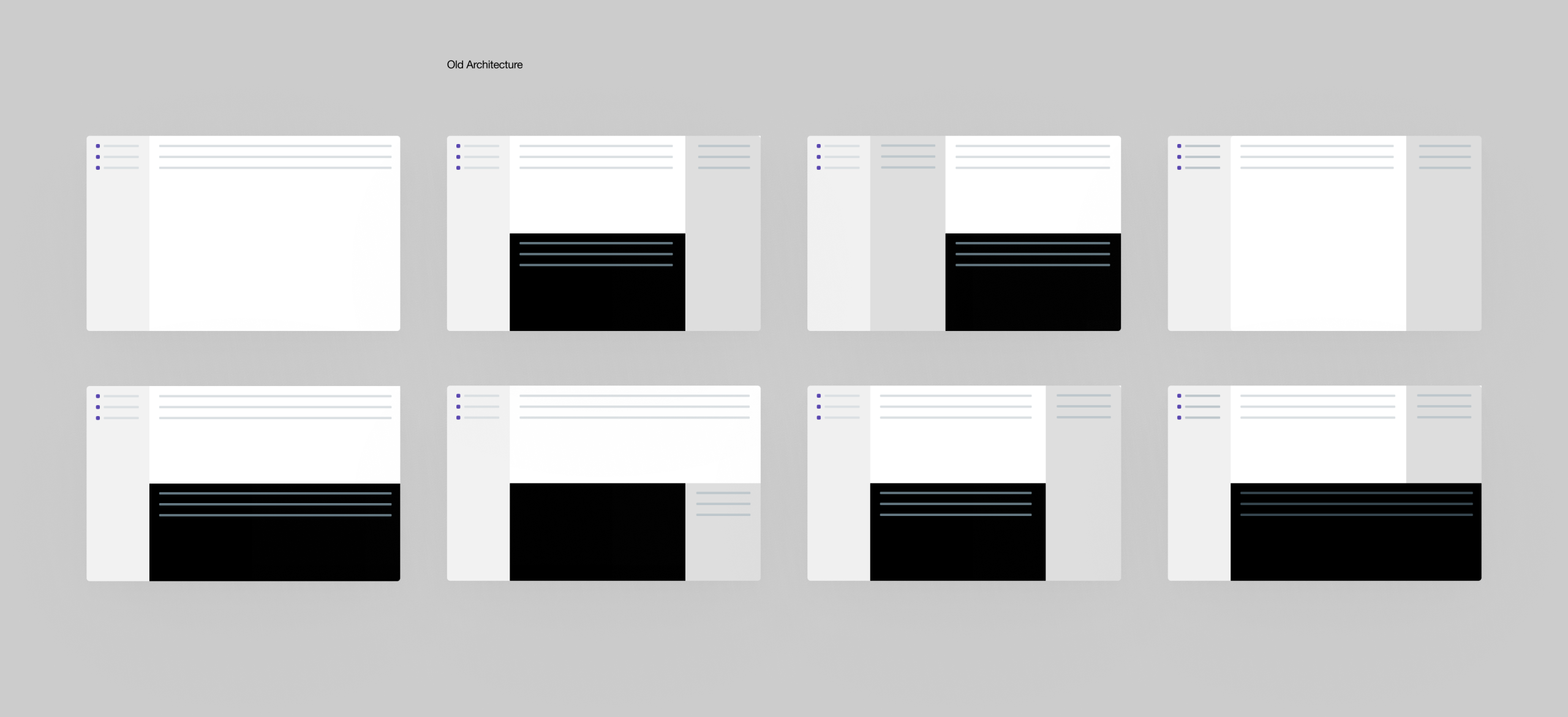
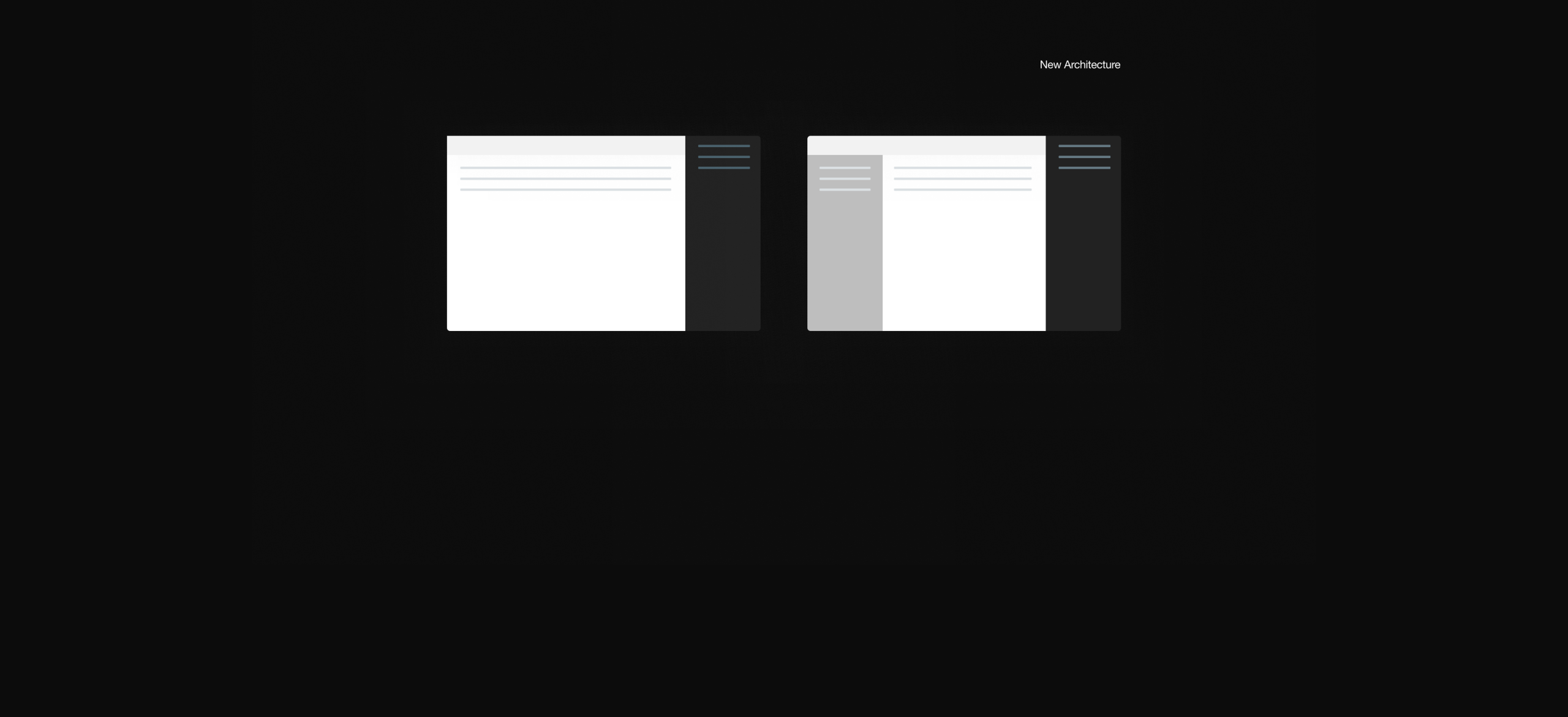
We also redesigned how space was used. Maps replaced long location tables where visual context mattered. Primary actions moved closer to the objects they affected. Testing with administrators helped us identify where clarity, confidence, and task speed improved together.
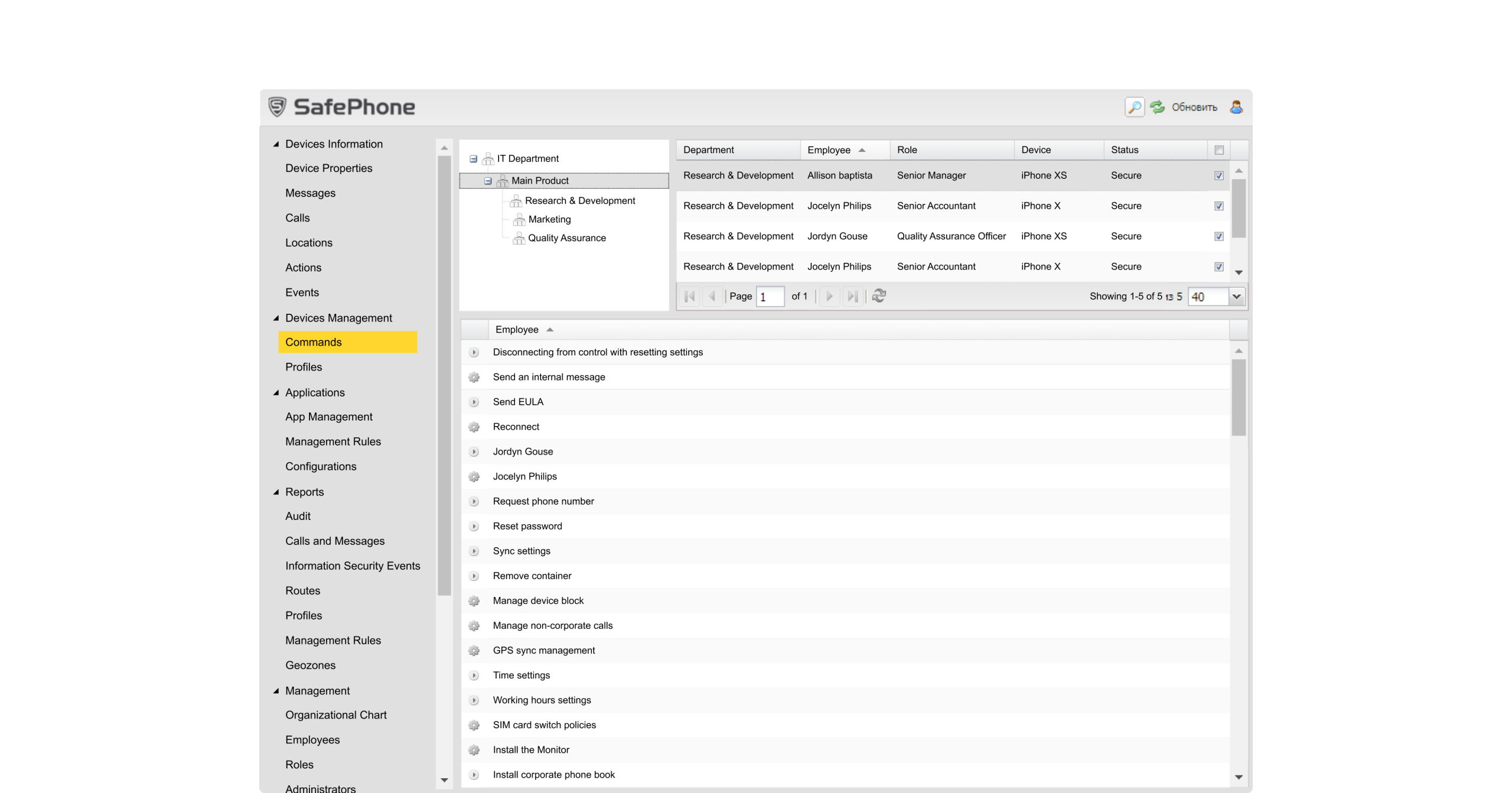
Drag to compare the old MDM console with the redesigned admin workflow.
One Interaction Model
Across Modules
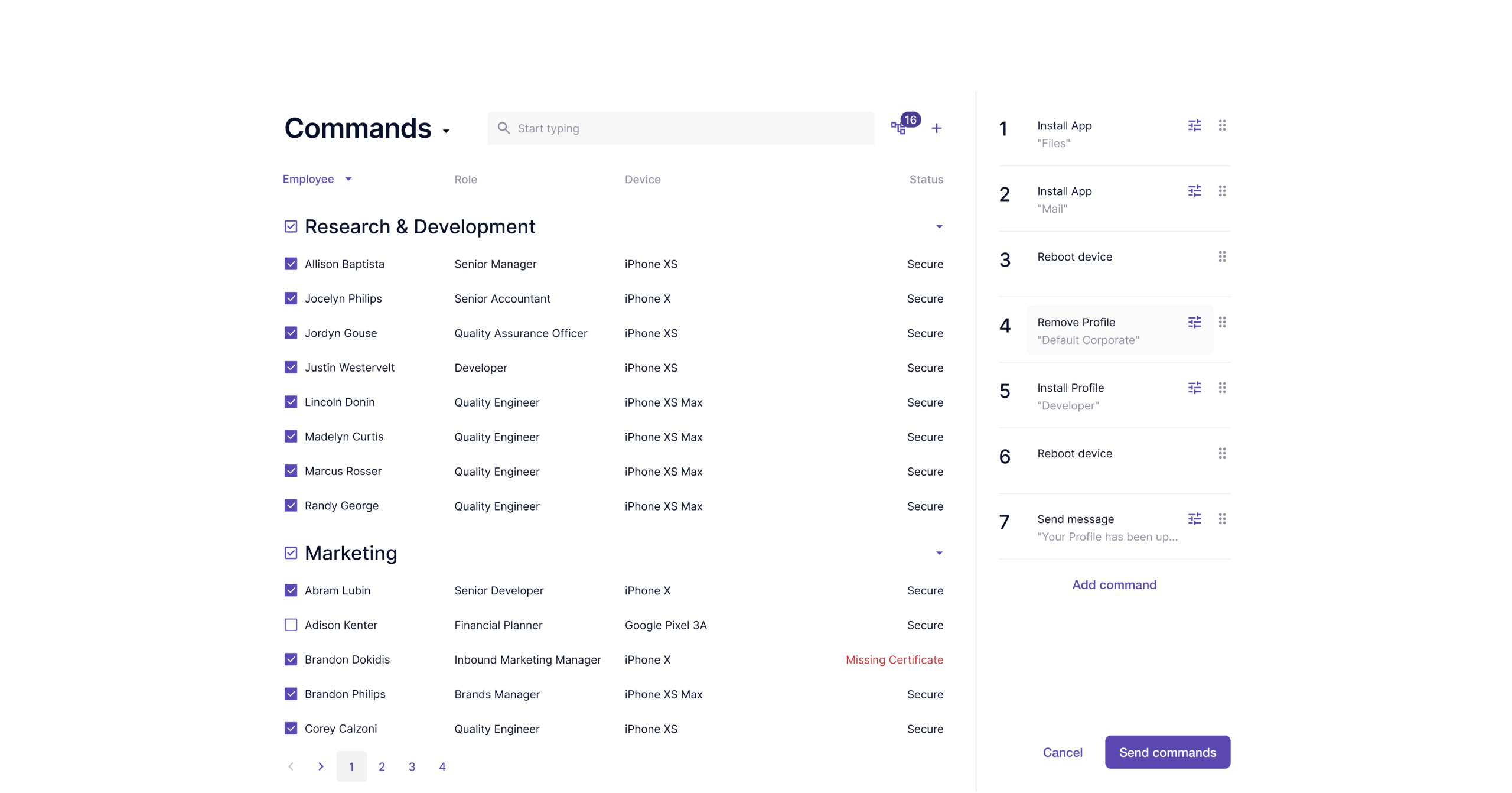
The redesigned console used one interaction model across the key admin modules. Administrators could manage applications, deploy commands, and monitor locations through familiar layouts and repeated controls. The goal was not to remove complexity, but to make complex actions easier to understand and execute.
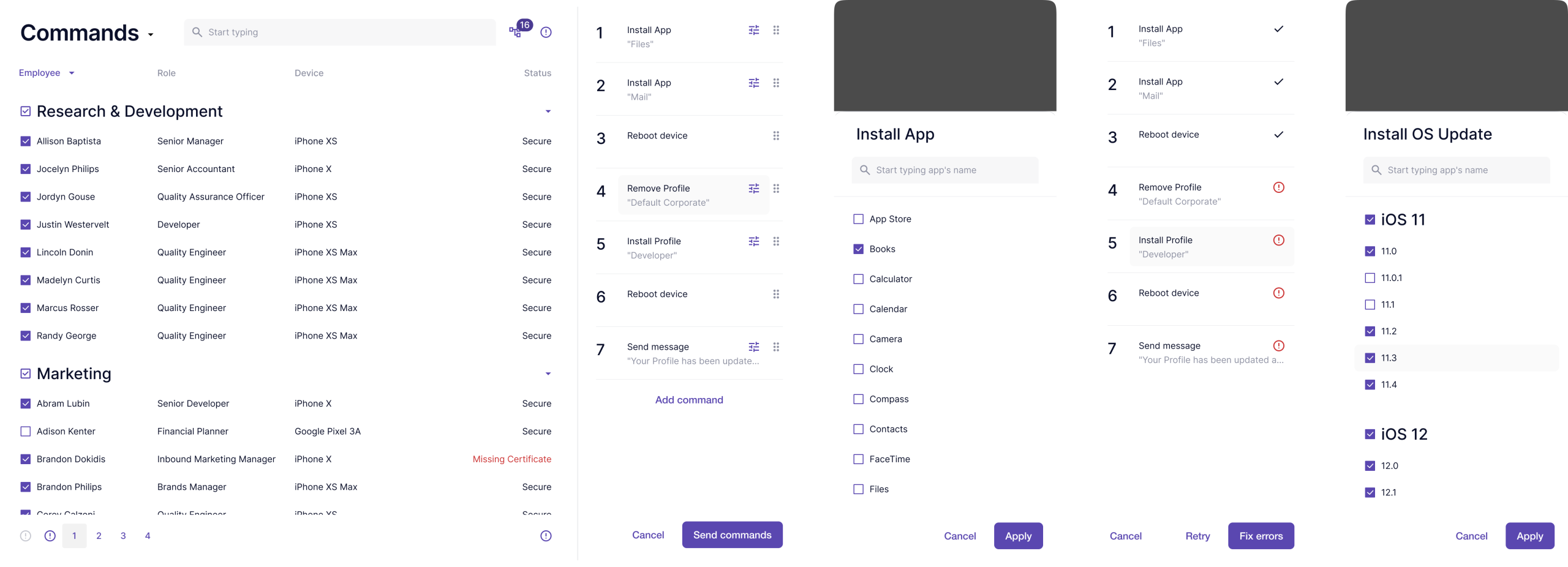
Commands are high-risk actions: install, wipe, message, restrict, and other instructions that change device behavior. The redesign made those actions easier to scan, confirm, and execute. Administrators could understand what command they were sending, which devices it affected, and what would happen next.
Approved Applications
The Applications section became easier to manage as a policy surface. Administrators could review approved apps, upload new ones, and understand which software was allowed across managed devices.
The new structure separated the app inventory from the actions that changed policy, making review and deployment easier to control.
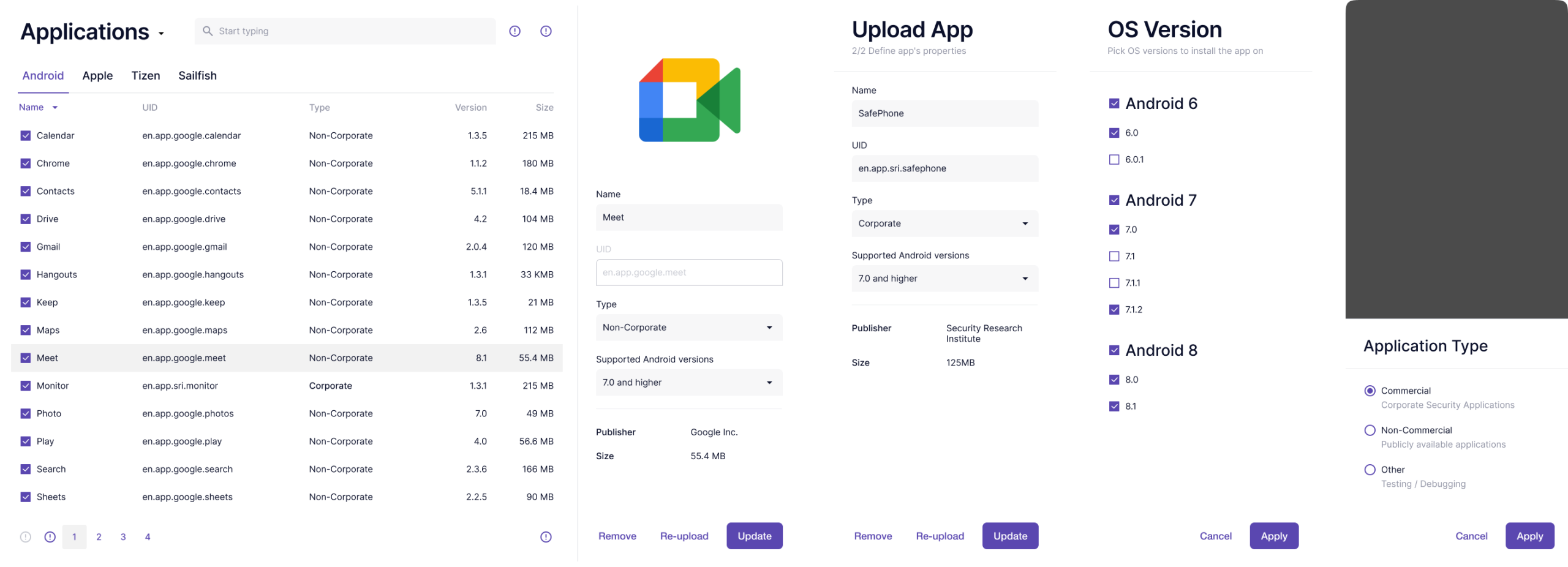
Application inventory and policy actions were separated, so administrators could review software and manage permissions without losing context.
Location Policies
With Map Context
Location workflows needed more than tables. The redesign brought routes, devices, and geozones into a map-based view, so administrators could understand movement and policy boundaries visually.
Instead of interpreting coordinates or jumping between records, they could see where devices were and which location rules applied.
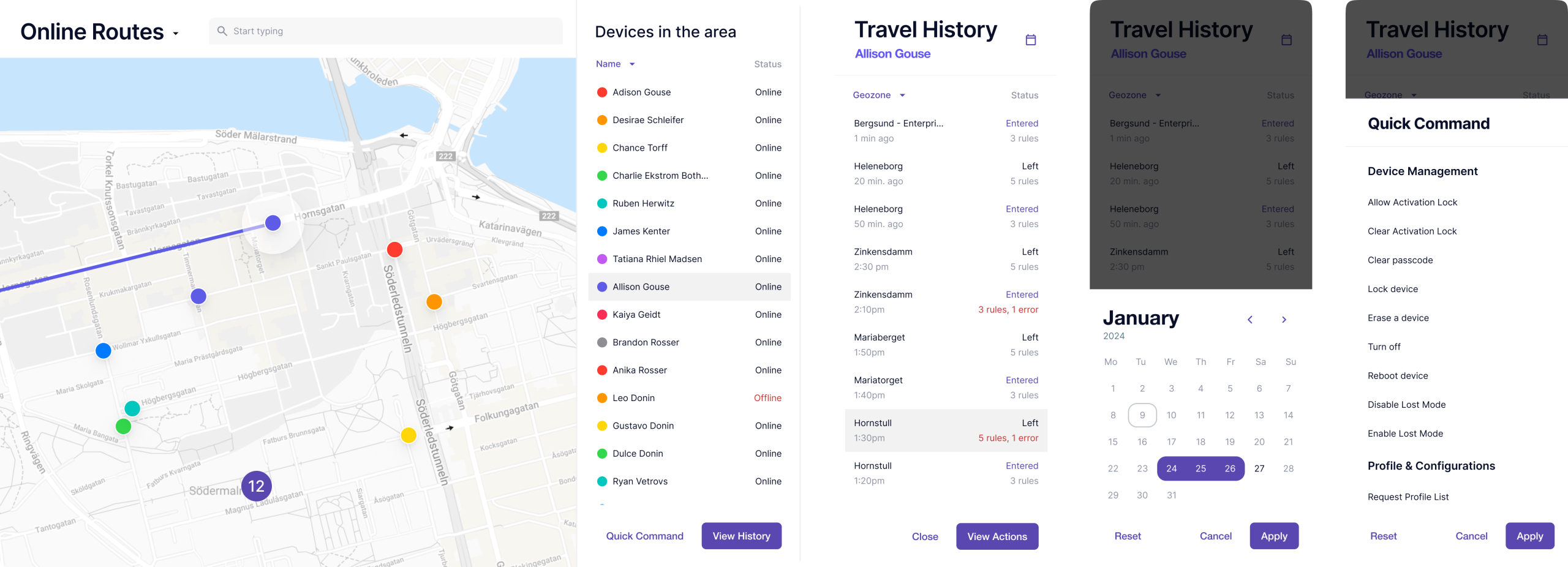
The map helped administrators understand device movement, routes, and geozone rules without translating everything from raw records.
Measured Improvements
Key admin tasks became 40–50% faster, including device location checks and app deployment. Support questions dropped by 30%, especially around “how do I” tasks. Geozones and Commands saw 25% higher usage, showing that administrators were more willing to use advanced features once the workflows became clearer.
New administrators also reached working proficiency faster because the modules now followed the same structure.
Outcome
The redesign made the MDM platform easier to operate without reducing its control. Administrators could find key actions faster, understand device status more clearly, and use advanced features with fewer mistakes.
For an enterprise security product, that matters: unclear interfaces do not just slow teams down, they increase operational risk. The main lesson was practical. A security console should not make administrators decode the tool before they can manage the fleet.
Adding complexity or clarity?
I transform complex enterprise tools into clear, actionable systems. Let's talk.